
September 23rd, 2026
Changelog (v26.2.6)
New
-
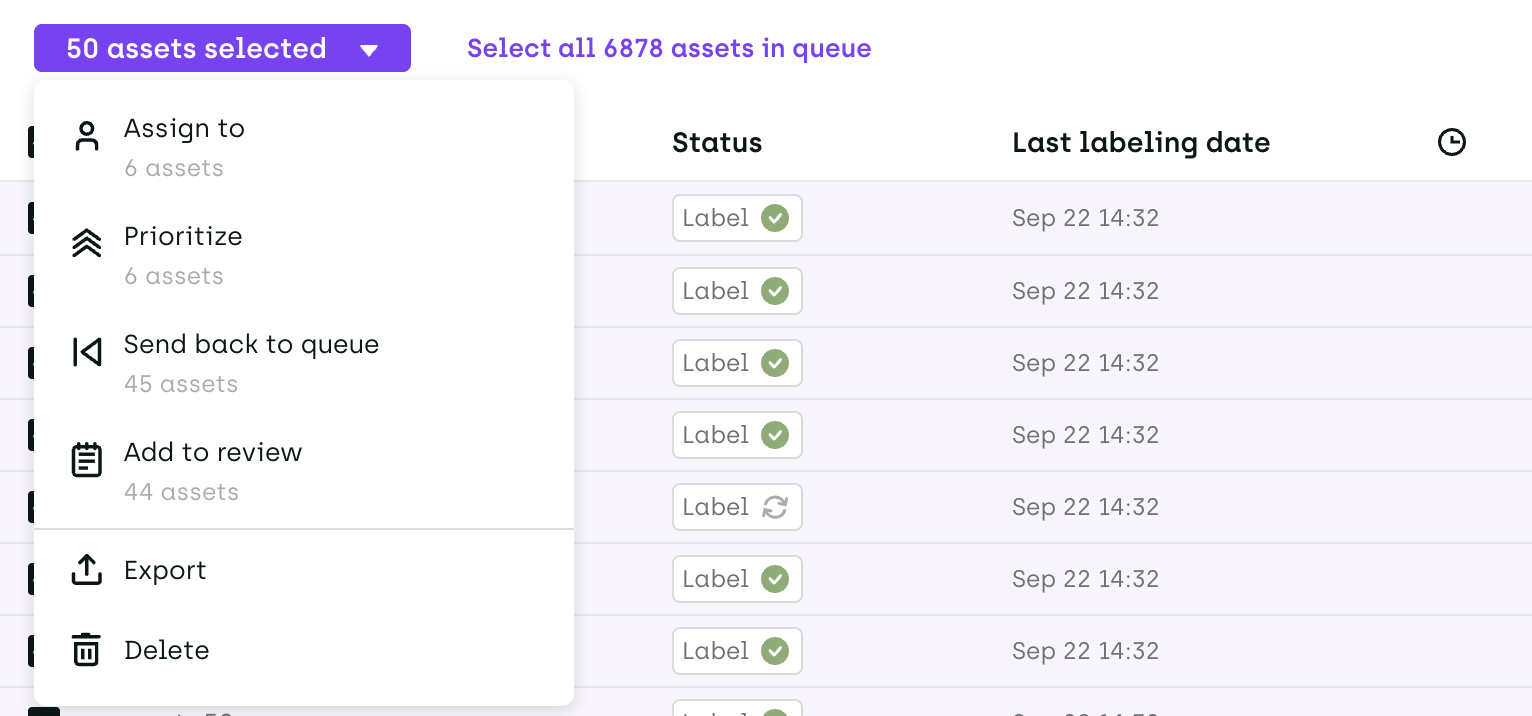
Bulk actions on the Queue page: When Project Admins select all assets on the current page of the Queue, Kili now offers to extend the selection to every asset matching the current filters (Select all N assets in queue). The following actions from the selection menu then apply to the whole selection: Assign to, Prioritize, Send back to queue, Add to review, Export and Delete. Actions run in the background. Once an action completes, the notification panel reports the outcome and how many assets were left out, with a link back to the queue.
-
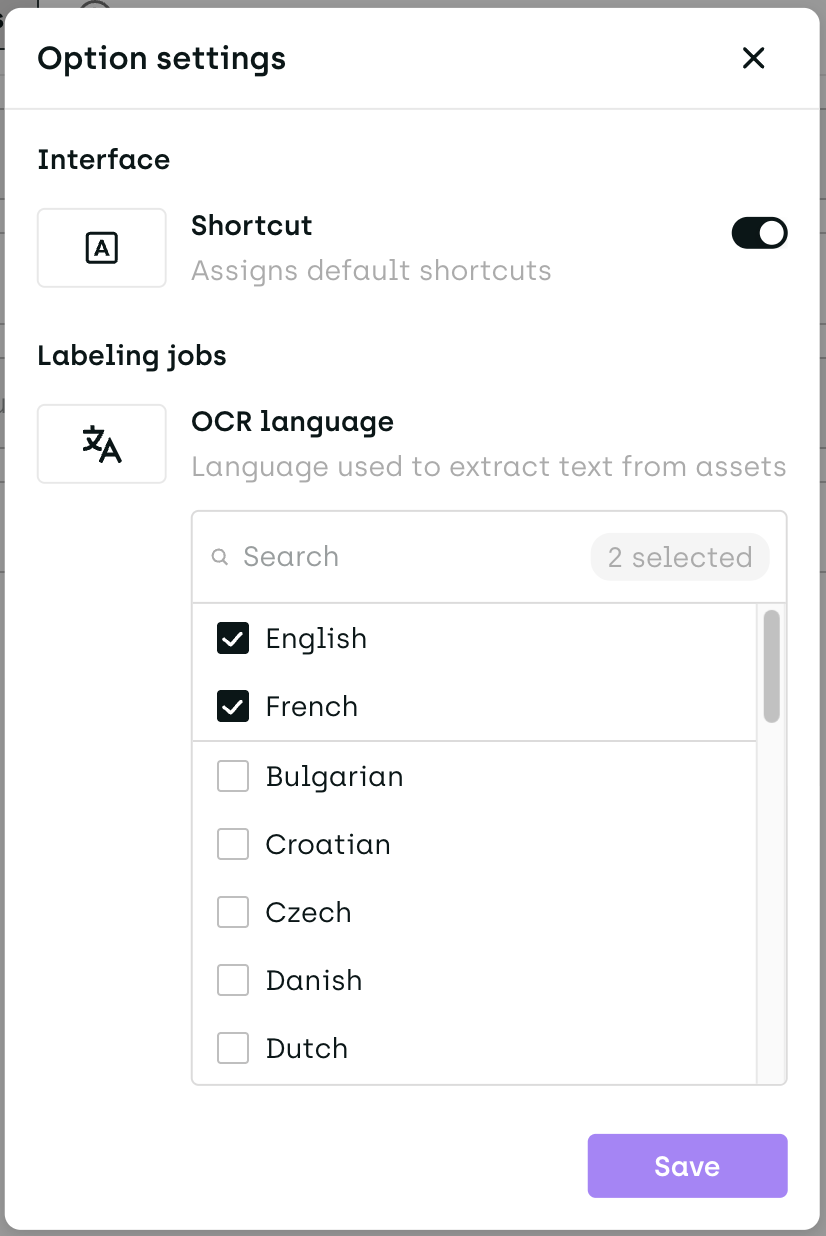
OCR language: A new OCR language setting in the project's Option settings lets Project Admins select one or more languages used to extract text from assets, improving recognition on non-English documents. The default is English and French. In the labeling interface, users can also change the language for a given document by right-clicking an annotation and choosing OCR Language. The setting applies to Kili's built-in OCR only.
-
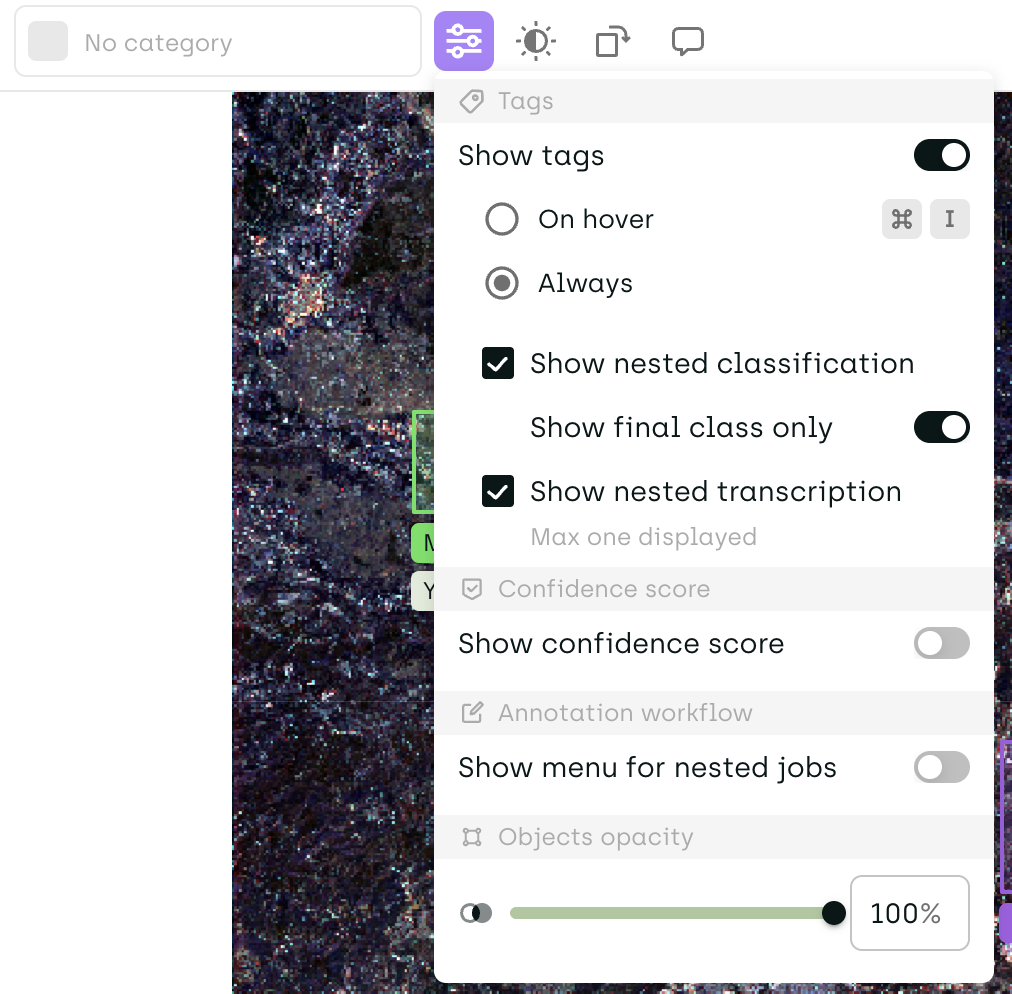
Show final class only: A new Show final class only setting in the Tags section of the labeling interface settings makes nested classification tags display only the deepest value of each branch, instead of the full path.
-
Polygon annotations in PDF projects: The Polygon tool is now available in PDF projects, with the same behavior as in Image projects.
Change
- Consensus: An asset now enters consensus as soon as a labeler starts working on it, instead of when the first label is submitted.
- Skipping assets: Assets selected for consensus and assets with a
REDOstatus can no longer be skipped. The skip button is disabled on these assets. - Unskipping: An unskipped asset is now reassigned to the labeler who skipped it, instead of going back to the queue unassigned. If that labeler no longer has access to the project, the asset goes back to the queue as before.
- Usage by project: On the Usage and license page, projects in the Usage by project table are now sorted by number of annotations. Projects with no activity during the selected period are no longer listed.
- Active projects: The Active projects section of the left menu now lists all non-archived projects. Archived projects remain in their own section.
- Smart tools performance: Interactive segmentation and video tracking now respond faster.
Fix
- Selecting a single continuous span of text in NER created several annotation blocks, which then appeared fragmented in the export.
- Assets left on a step that had since been removed from the workflow could get stuck. They now continue to the next step.
- Sign-in no longer loops endlessly when the identity provider is unavailable.
- Returning to a tab left inactive after the session expired now renews the session correctly.
- Smart tracking in video projects works as expected again.
- Exported PDF labels can now be re-imported as predictions without manual editing. Annotations with no text no longer include an empty
contentfield in the export. - OCR data containing a bounding box with too few vertices no longer crashes the labeling interface and now shows a clear error.