
April 8th, 2026
6 months ago by Kili Technology
Changelog (26.1.28)
New
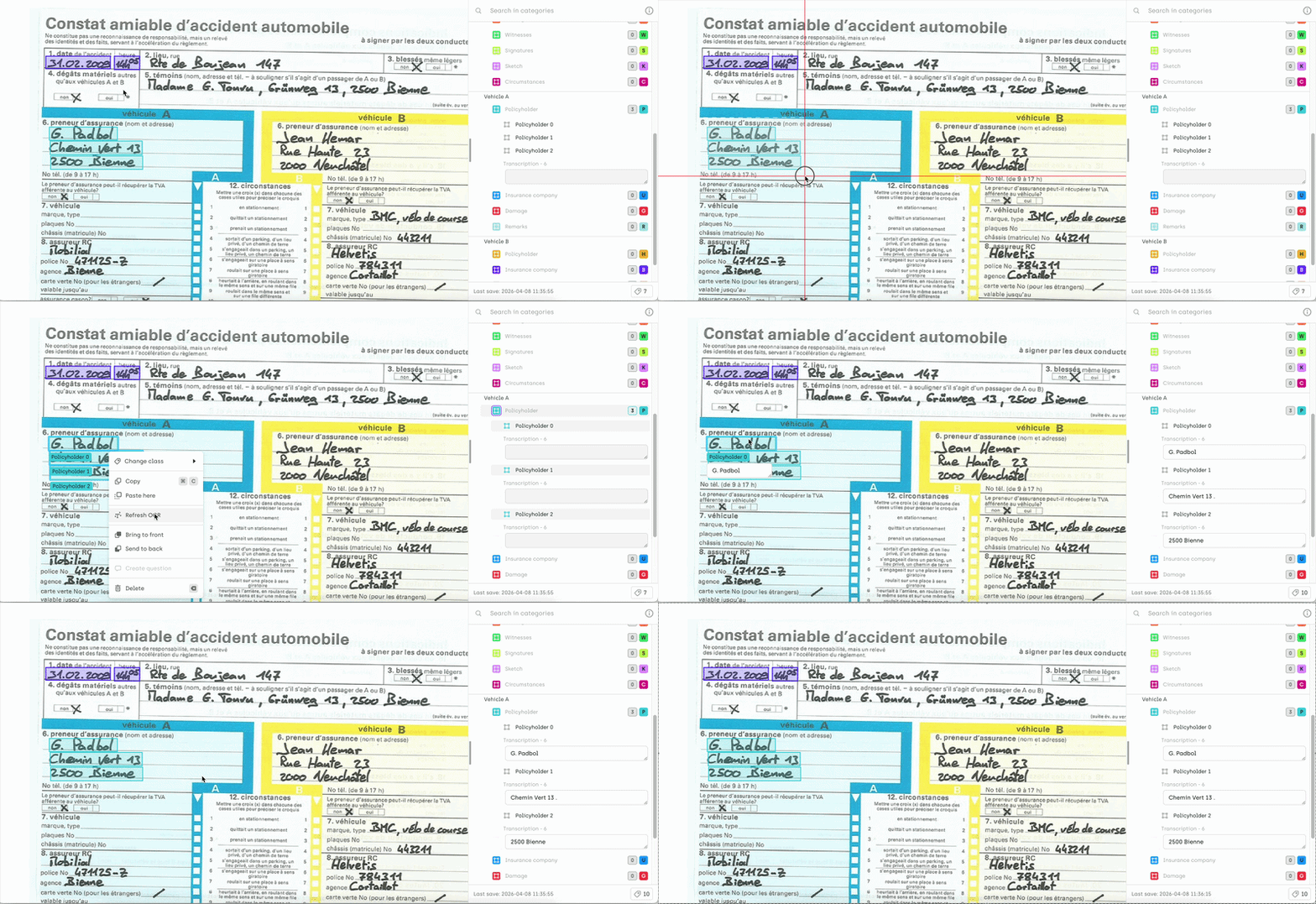
Refresh OCR (Images only)
You can now refresh OCR results after moving or resizing a bounding box with OCR transcription (when autofill is enabled).
- Right-click on one or multiple selected bounding boxes
- Select "Refresh OCR" to update the transcription
PDF support coming soon.
Node editor for semantic annotations
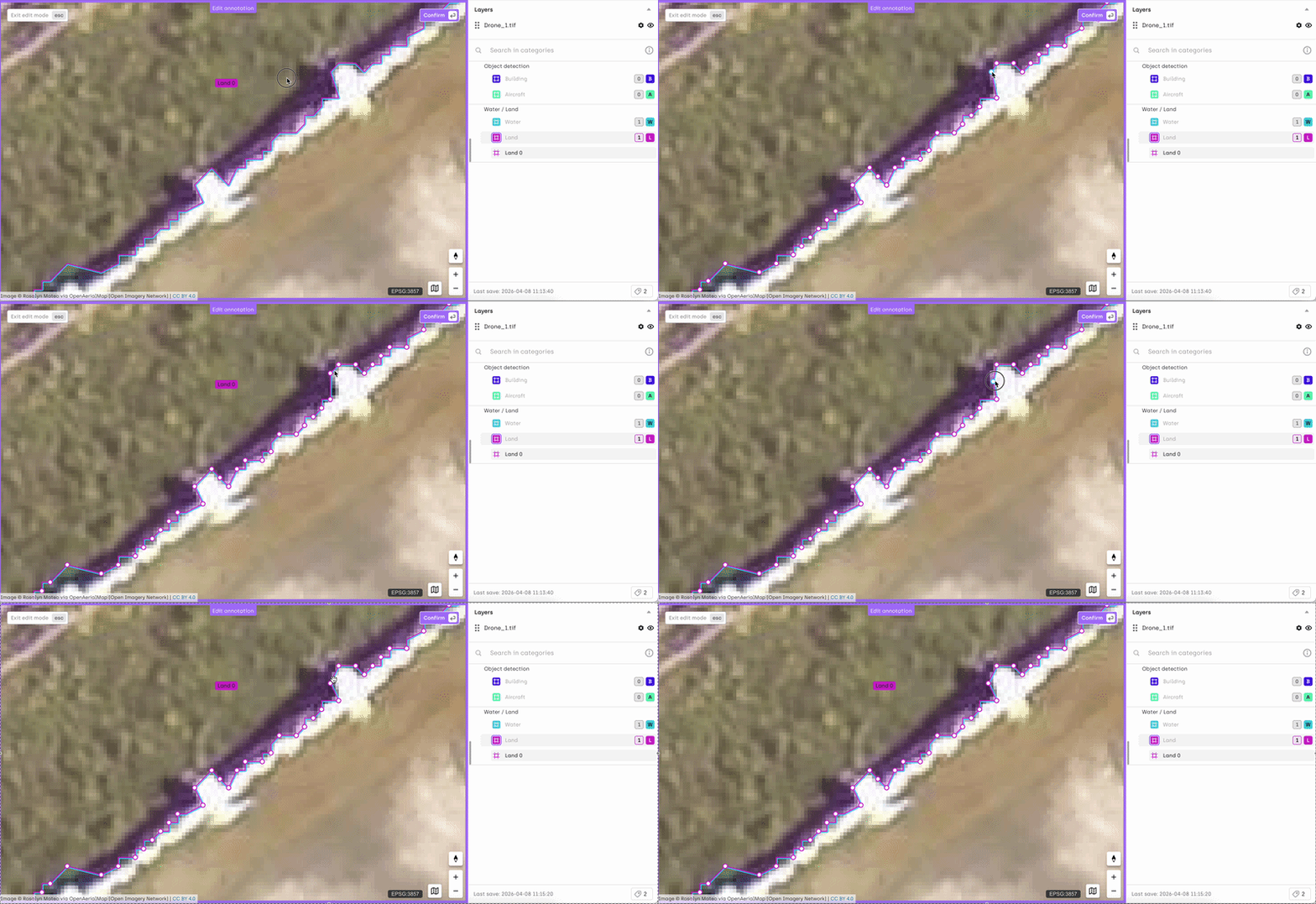
We are introducing a new node editor to refine semantic masks directly in the interface.
- Enter edit mode or double-click a mask to display its nodes
- Drag nodes to reshape the mask
- Click a node to delete it
- Hover over a segment to add an intermediate node
Notes:
- For performance reasons, visible nodes depend on the zoom level. Zoom in to display all nodes of a mask
- You can delete an individual mask while the node editor is active by pressing the
Delkey
Improvements
- Better rendering of long instructions
Long job instructions are now easier to read in the Job viewer (right panel), with proper line breaks and formatting.
Fixes
- Improved font rendering across all supported OS, fixing blurriness on some UI elements
- Fixed an issue where suspended users could still appear in workflow assignments
- Fixed crashes in the video UI when resizing and navigating between frames simultaneously
- Fixed a display issue when the "incomplete jobs" filter was enabled
- Clipboard permission is now requested only when pasting an annotation (not when opening the right-click menu)